Flux.2 Klein vs Qwen-Image-Edit-2511 — img2img @ 1 MP (RTX 4090 / SM89)
Timings & VRAM
| Variant | CFG | Steps | Load | Avg gen / img | Peak VRAM | Success |
|---|---|---|---|---|---|---|
| Flux.2 Klein 4B (bf16, 4-step) | 1.0 | 4 | 3.7s | 2.8s | 18.54 GB | 10 / 10 |
| qwen-edit-plus2-fp8 | 4.0 | 50 | 30.7s | 103.8s | 20.70 GB | 10 / 10 |
| qwen-edit-plus2-fp8-4steps | 1.0 | 4 | 25.5s | 8.2s | 20.69 GB | 10 / 10 |
| qwen-edit-plus2-fp8-8steps | 1.0 | 8 | 23.8s | 12.2s | 20.69 GB | 10 / 10 |
Drag the slider to compare A vs B; switch either dropdown to pick any variant. The number next to each dropdown is that variant's generation time for this example. Click the input thumbnail to view it full size.
example #01
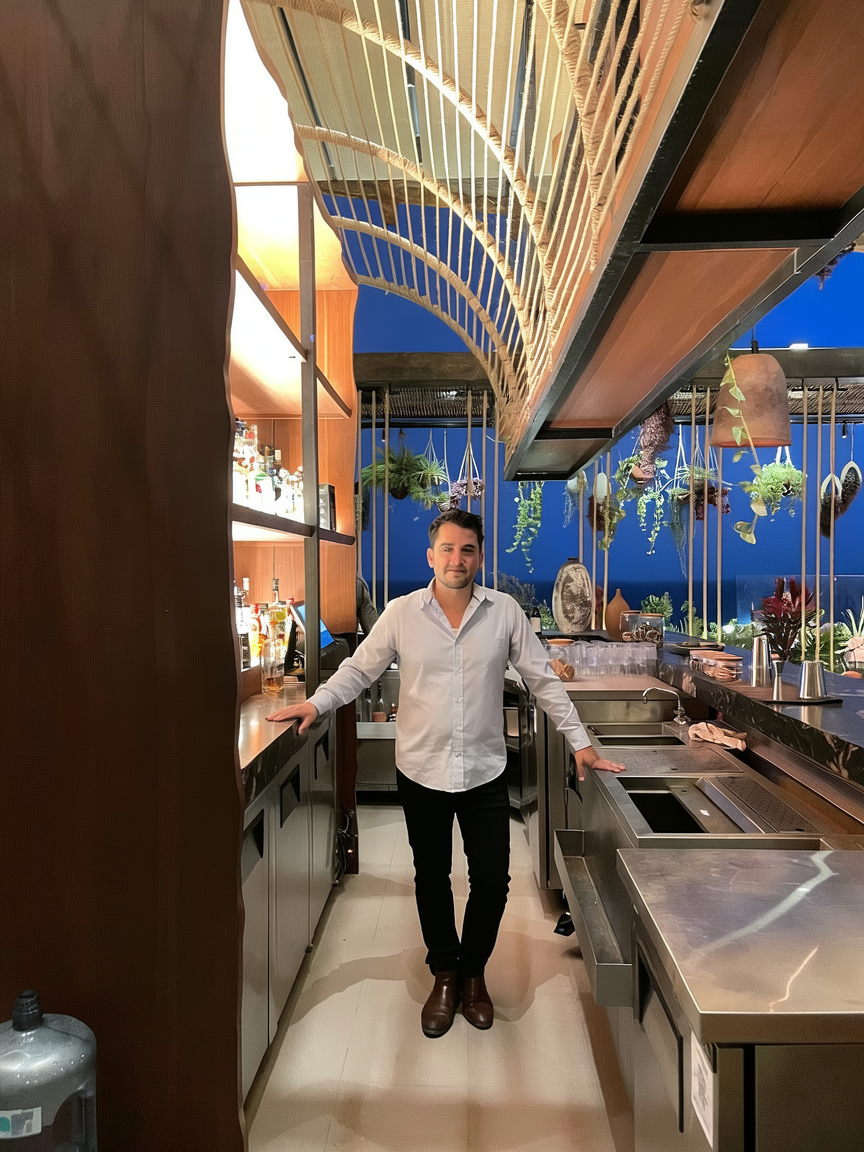
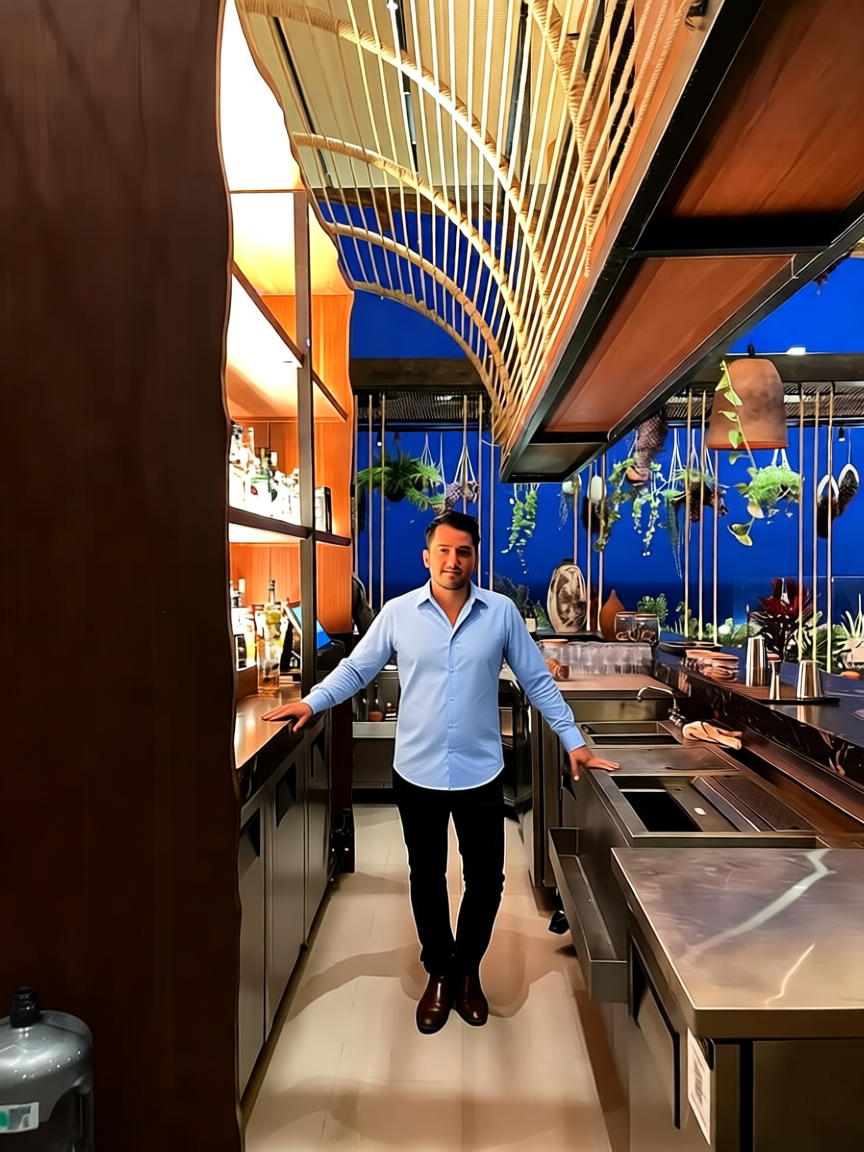
Flux.2 Klein 4B (bf16, 4-step)Smooth out all wrinkles on the man's white button-up shirt, making it perfectly crisp and freshly pressed with no creases or folds anywhere, keeping its original color, collar, fit, and buttons unchanged. Keep the man's face, pose, expression, black pants, brown shoes, and the entire bar interior, lighting, background, and composition exactly as in the original, unchanged.
qwen-edit-plus2-fp8, qwen-edit-plus2-fp8-4steps, qwen-edit-plus2-fp8-8stepsIron the man's light blue shirt to make it perfectly smooth and crisp with no wrinkles or creases, keeping its original color and fabric texture. Preserve the man's face, pose, expression, black pants, brown shoes, and the entire bar setting including shelves, hanging plants, lighting, and background exactly as in the original.
input: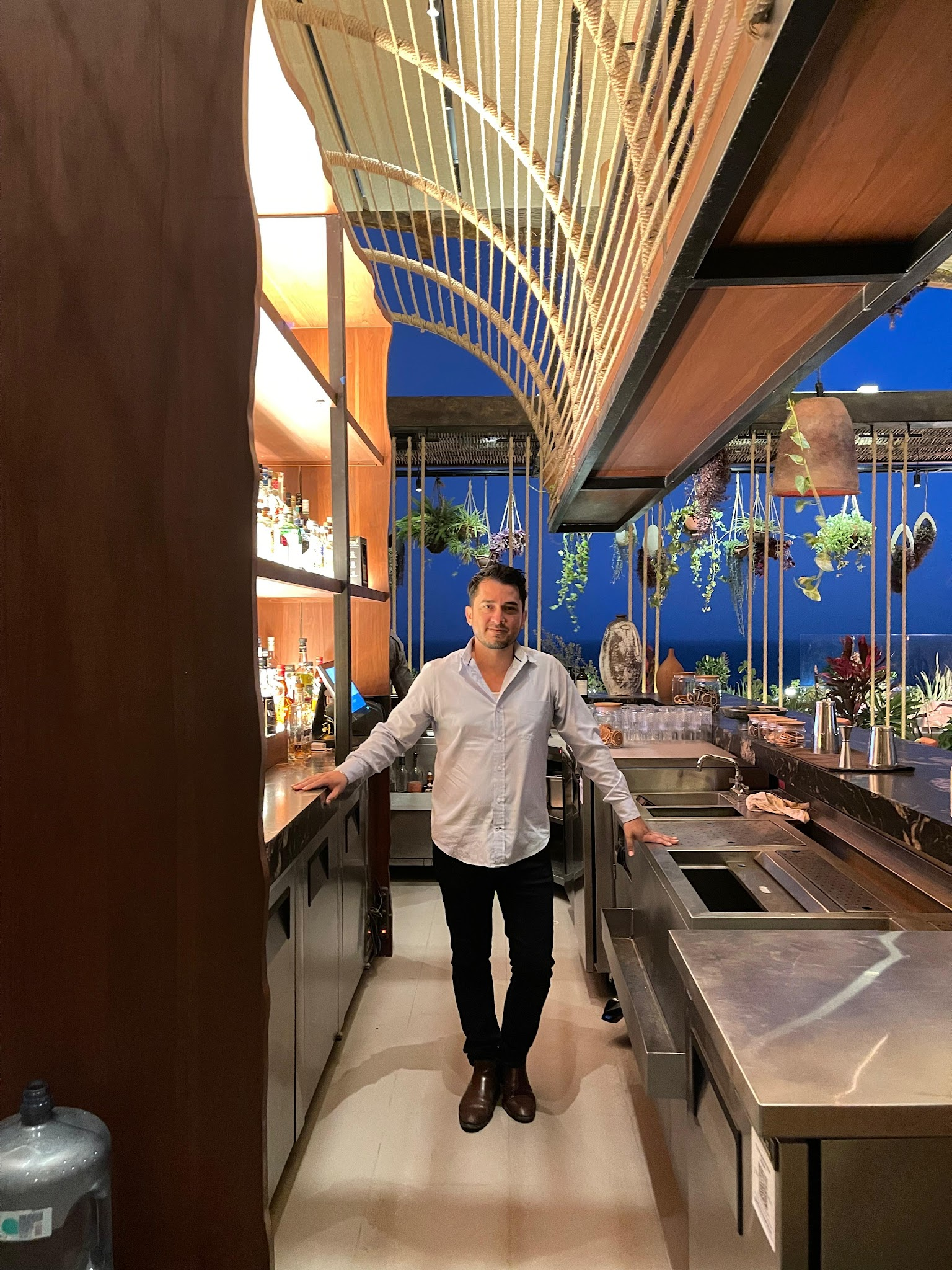
example #02
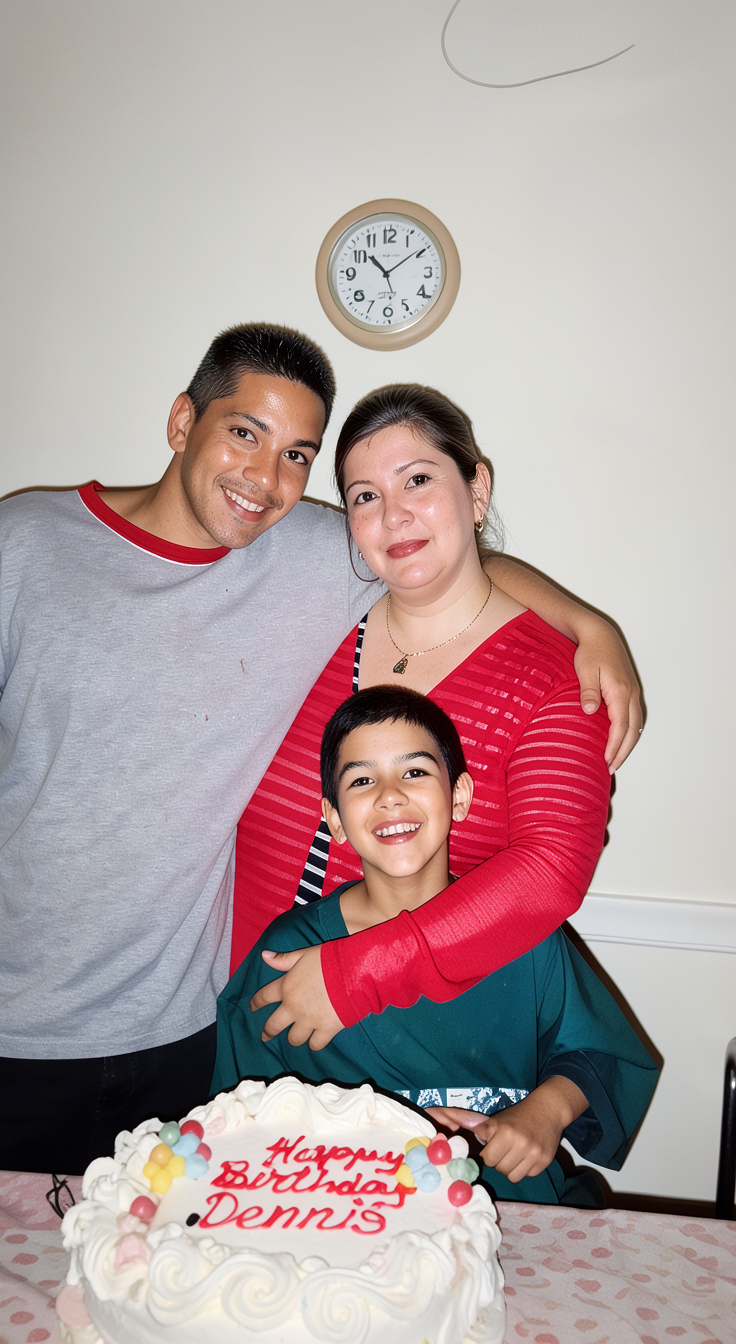
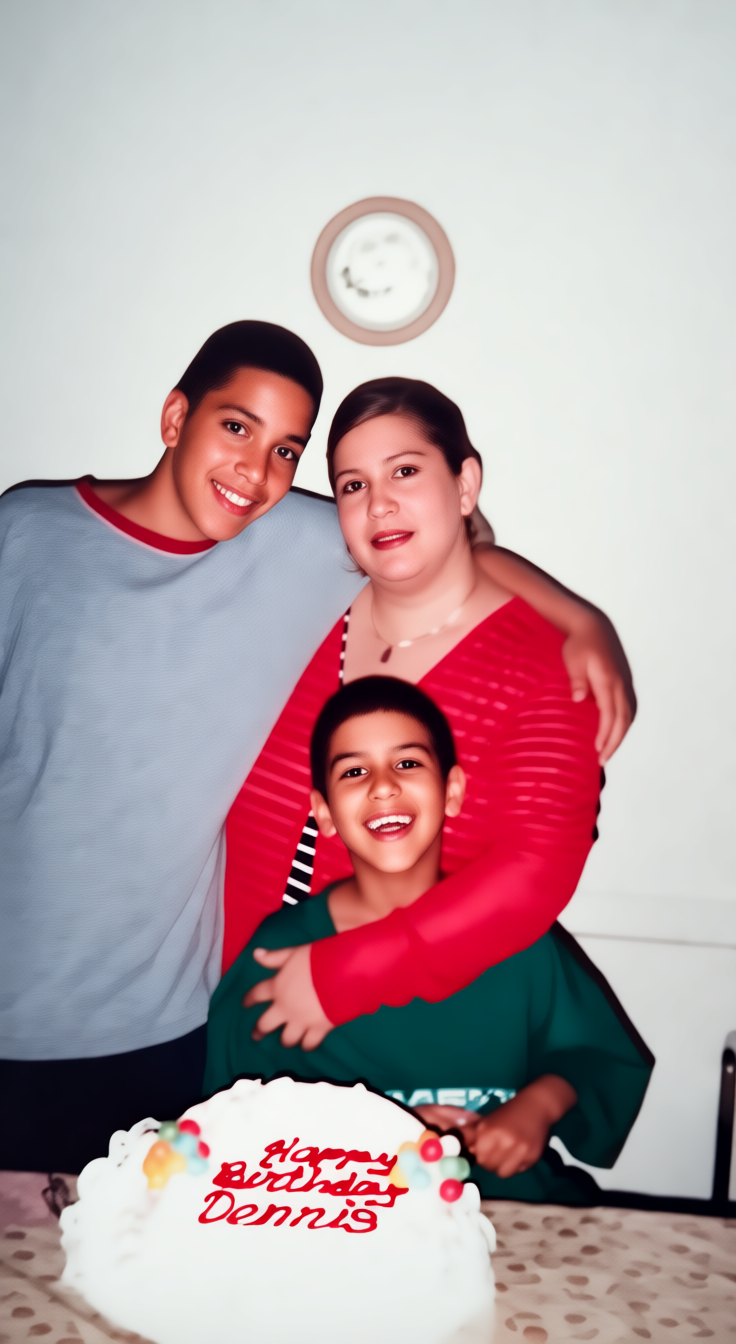
Flux.2 Klein 4B (bf16, 4-step)Enhance the image to look like a clean, sharp, modern digital photo with natural lighting and realistic skin tones, preserving the original composition, facial expressions, clothing colors, and the "Happy Birthday Dennis" cake text exactly as-is. Keep all background elements including the wall clock and tablecloth unchanged.
qwen-edit-plus2-fp8, qwen-edit-plus2-fp8-4steps, qwen-edit-plus2-fp8-8stepsRestore the image to look like a clean, sharp digital photo: remove all grain, scratches, dust, and color fading; enhance contrast and clarity while keeping the original composition, facial identities, expressions, clothing colors, and the 'Happy Birthday Dennis' cake text exactly as-is. Do not alter the background, lighting, or aspect ratio.
input: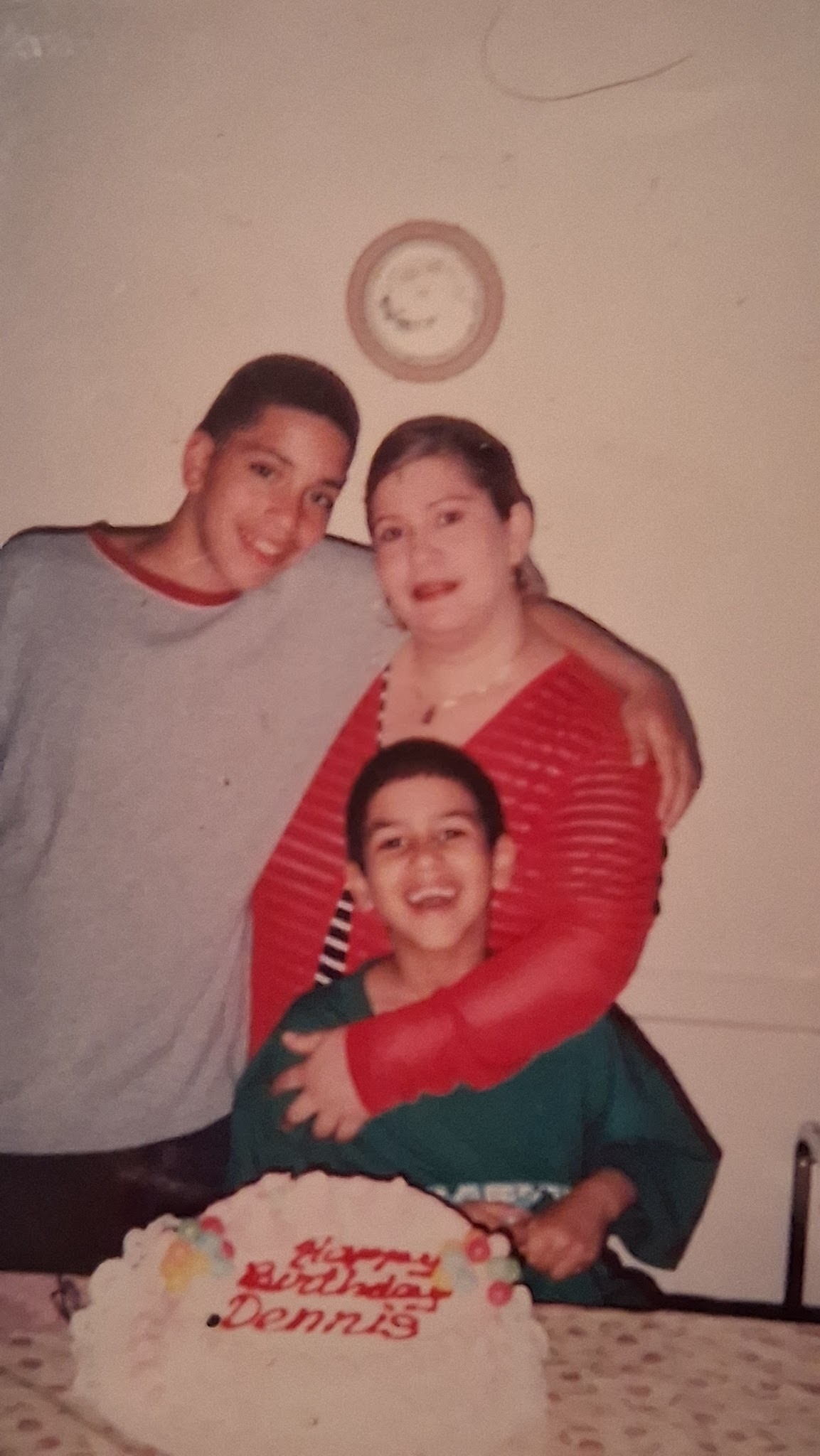
example #03
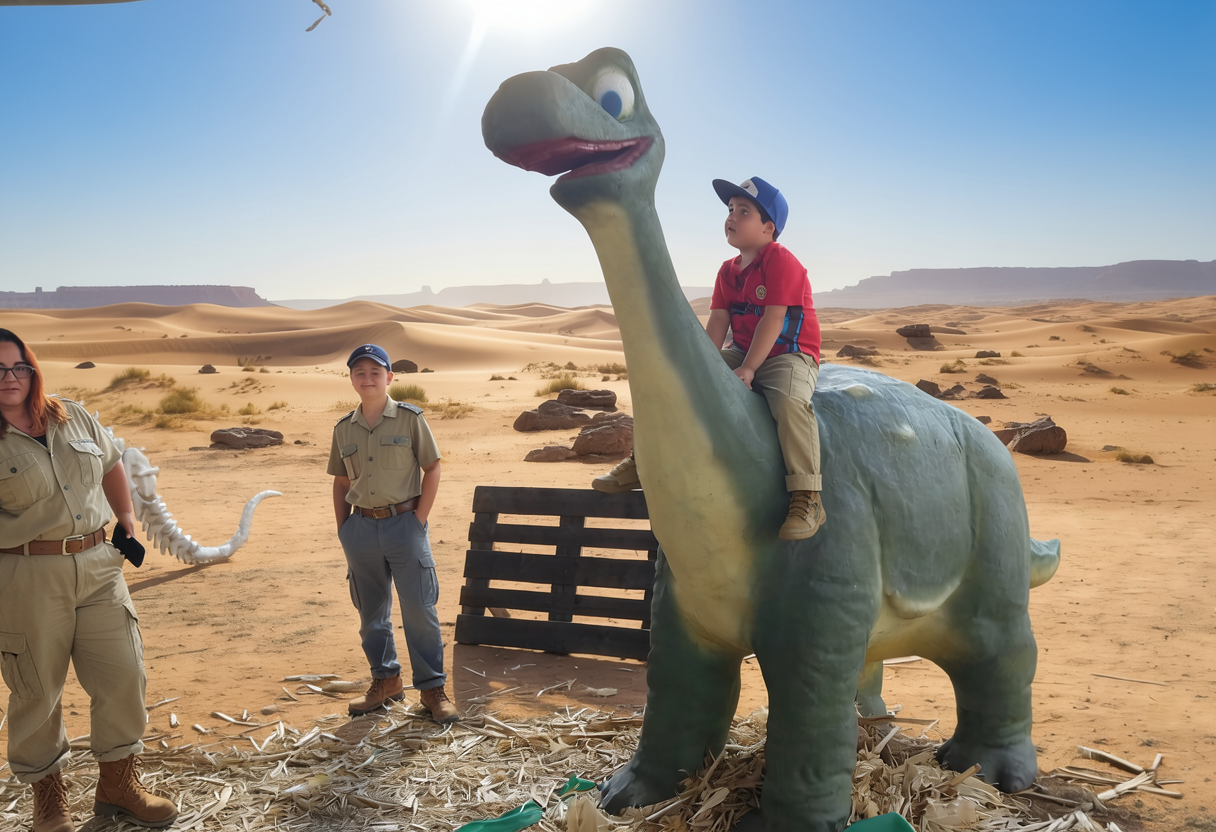
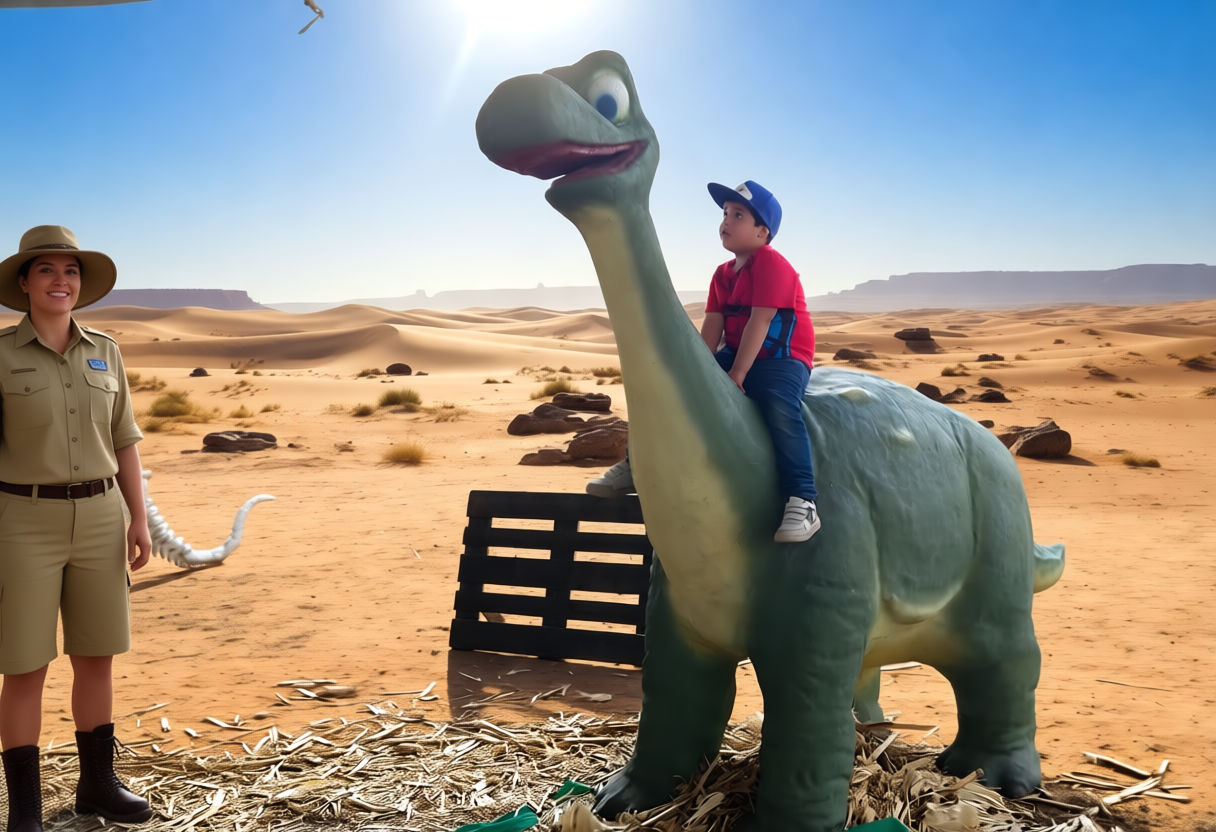
Flux.2 Klein 4B (bf16, 4-step)Replace the woman's current black top and blue jeans with a full safari guide outfit: khaki short-sleeve button-up shirt, matching khaki cargo pants, brown belt, and safari-style boots, keeping her glasses, pose, and position unchanged. The boy on the dinosaur keeps his exact red t-shirt, blue cap, and blue jeans, completely unchanged. Keep the desert background, dinosaur statue, lighting, and composition identical.
qwen-edit-plus2-fp8, qwen-edit-plus2-fp8-4steps, qwen-edit-plus2-fp8-8stepsChange the woman's outfit to a full safari guide uniform including a khaki button-up shirt, matching shorts or pants, a wide-brimmed hat, and sturdy boots, keeping her pose, expression, and position unchanged. The boy on the dinosaur keeps his exact red t-shirt, blue cap, and blue jeans, unchanged. Keep the desert background, dinosaur statue, and all other elements exactly as in the original.
input:
example #04
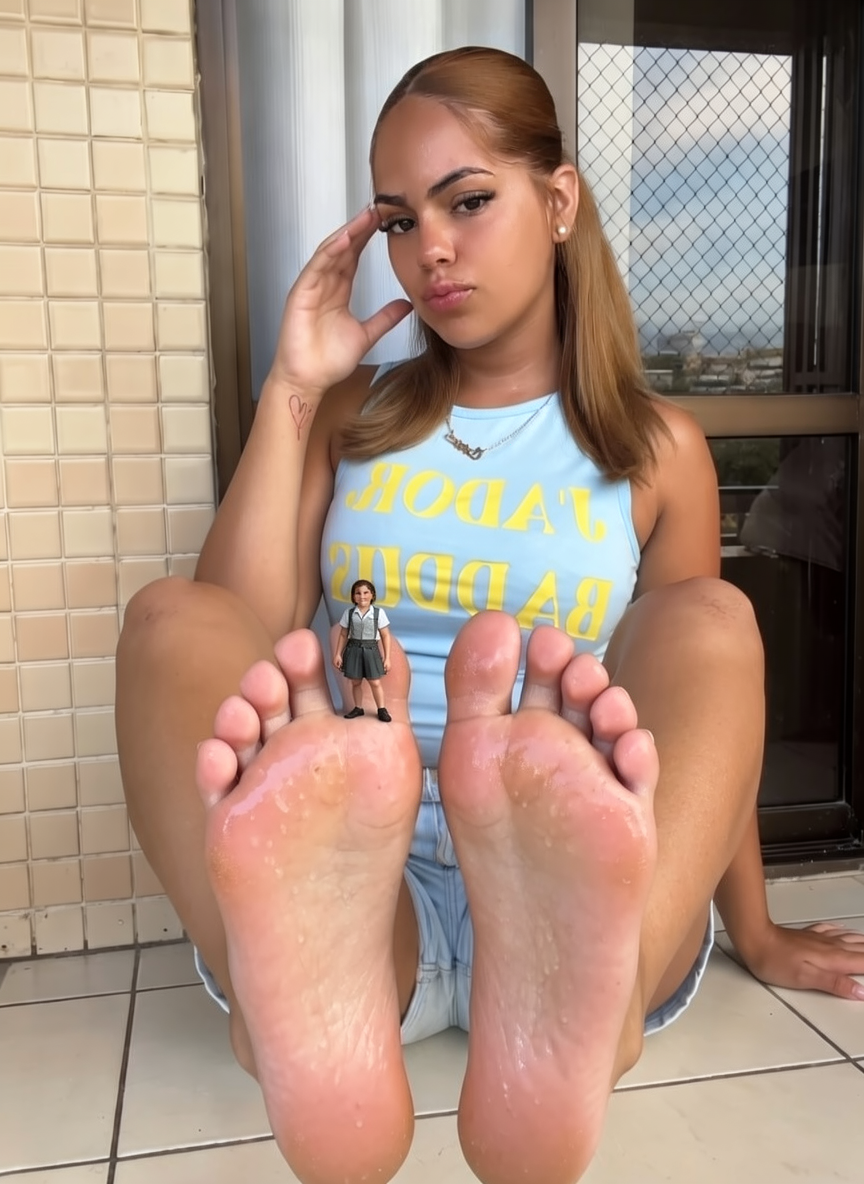
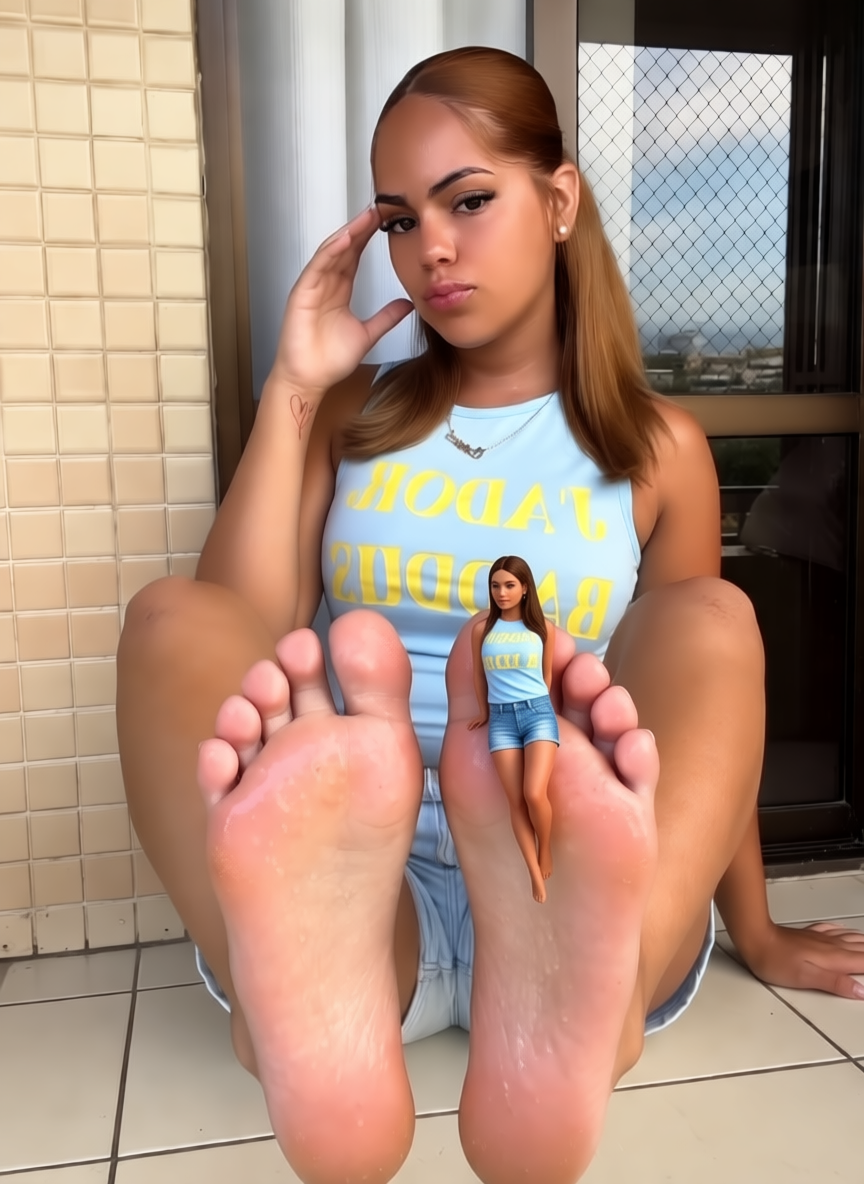
Flux.2 Klein 4B (bf16, 4-step)Add a tiny person, about the size of a thumb, standing on the sole of her right foot near the arch, wearing a miniature outfit matching the photo's realism, with natural lighting and shadows blending into the foot's texture; keep her face, pose, clothing, expression, background, and all other elements exactly as in the original, unchanged.
qwen-edit-plus2-fp8, qwen-edit-plus2-fp8-4steps, qwen-edit-plus2-fp8-8stepsAdd a tiny person, about 2 inches tall, standing on the sole of her right foot, wearing a miniature outfit matching her blue top and denim shorts, rendered in photorealistic style with natural lighting and shadows, keeping her face, pose, clothing, background, and composition exactly as in the original.
input: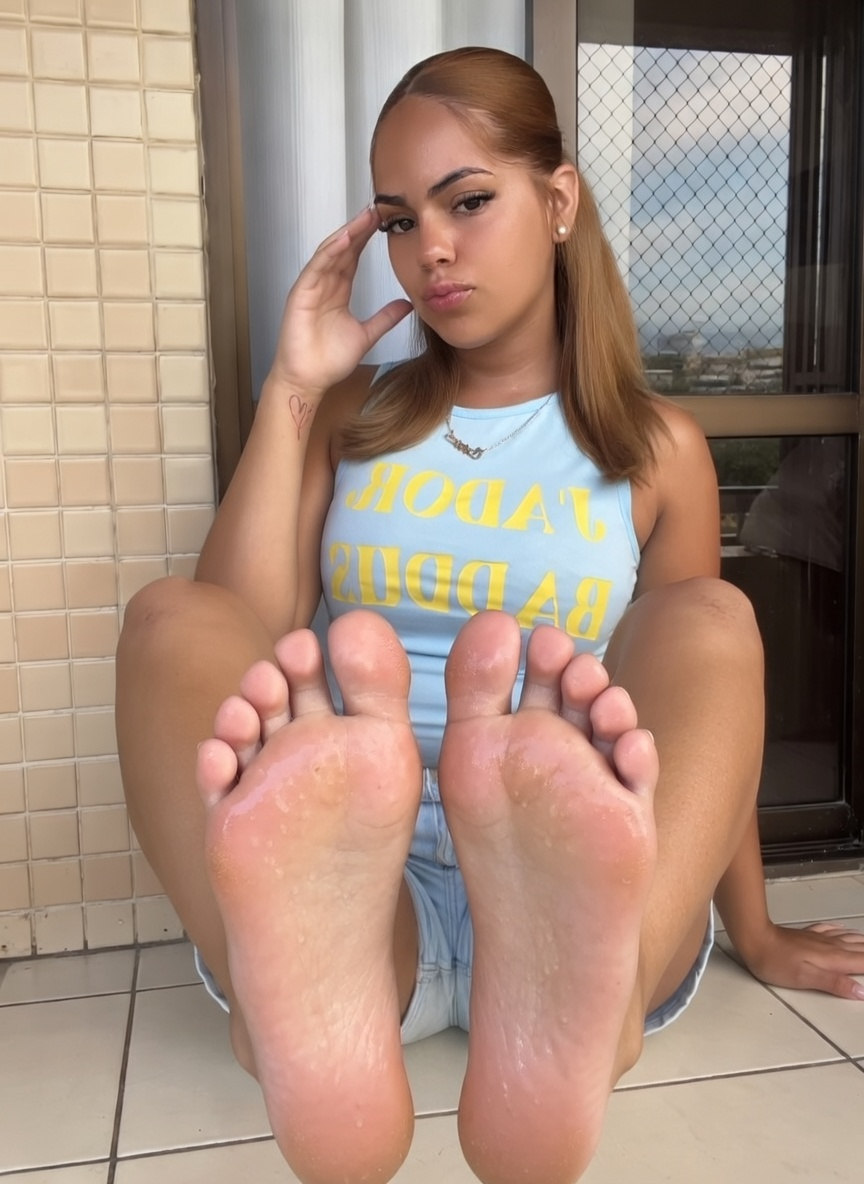
example #05
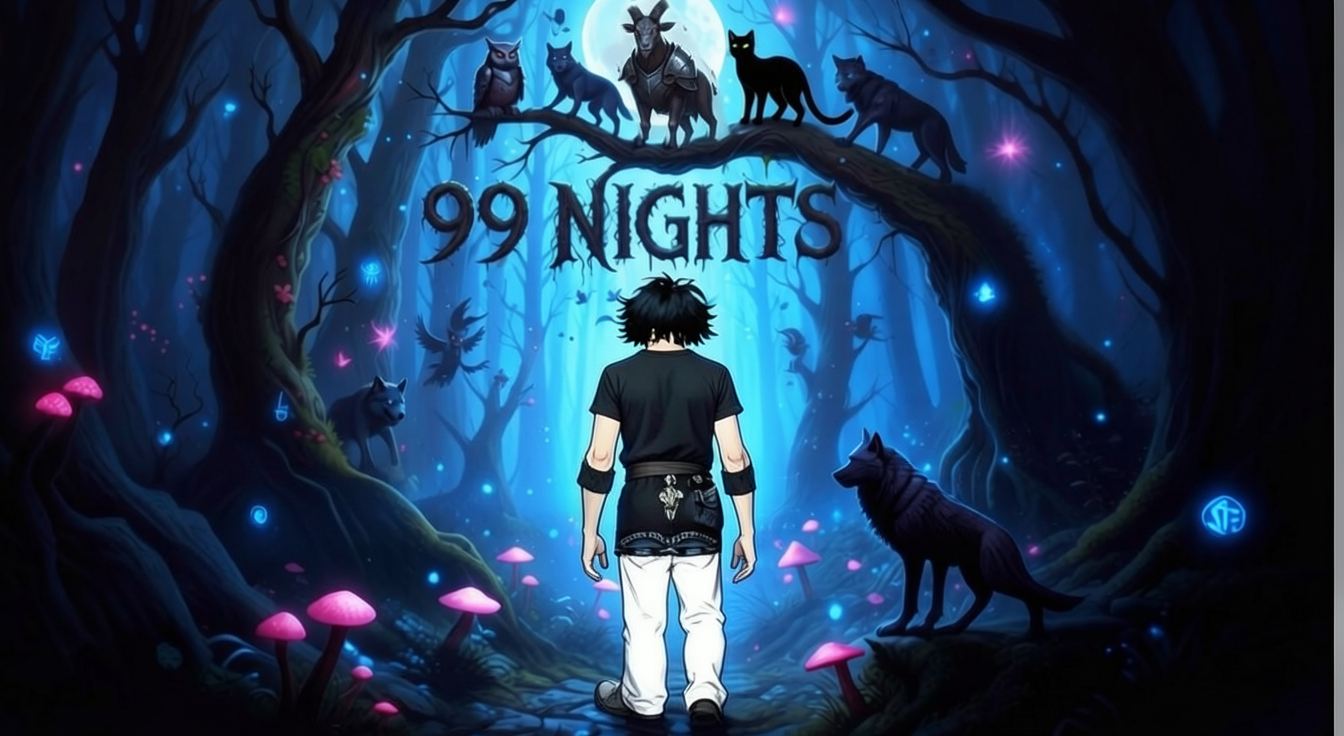
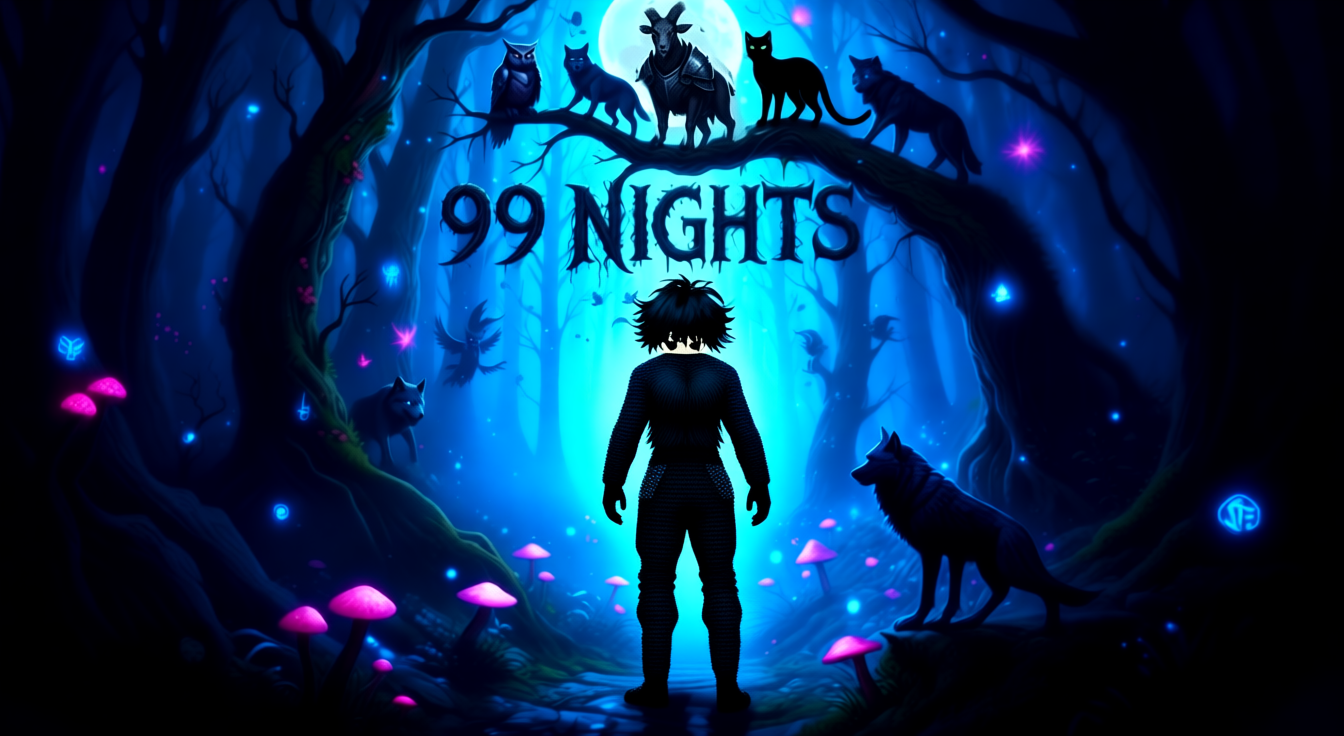
Flux.2 Klein 4B (bf16, 4-step)Remove the purple and blue mechanical cyborg device on the character's back along with all glowing white energy trails and laser effects, restoring the character's natural back and clothing to match the surrounding dark forest outfit and silhouette, keeping the character's pose, face, hair, and all surrounding animals, trees, mushrooms, and glowing particles exactly as in the original, unchanged.
qwen-edit-plus2-fp8, qwen-edit-plus2-fp8-4steps, qwen-edit-plus2-fp8-8stepsRemove the purple mechanical cyborg cannon and white painted-over patches on the character's back, restoring the natural back and clothing underneath to match the surrounding dark, textured outfit and fantasy forest style; keep the character's pose, face, hair, and all other elements including wolves, mushrooms, moon, and '99 NIGHTS' text exactly as in the original.
input: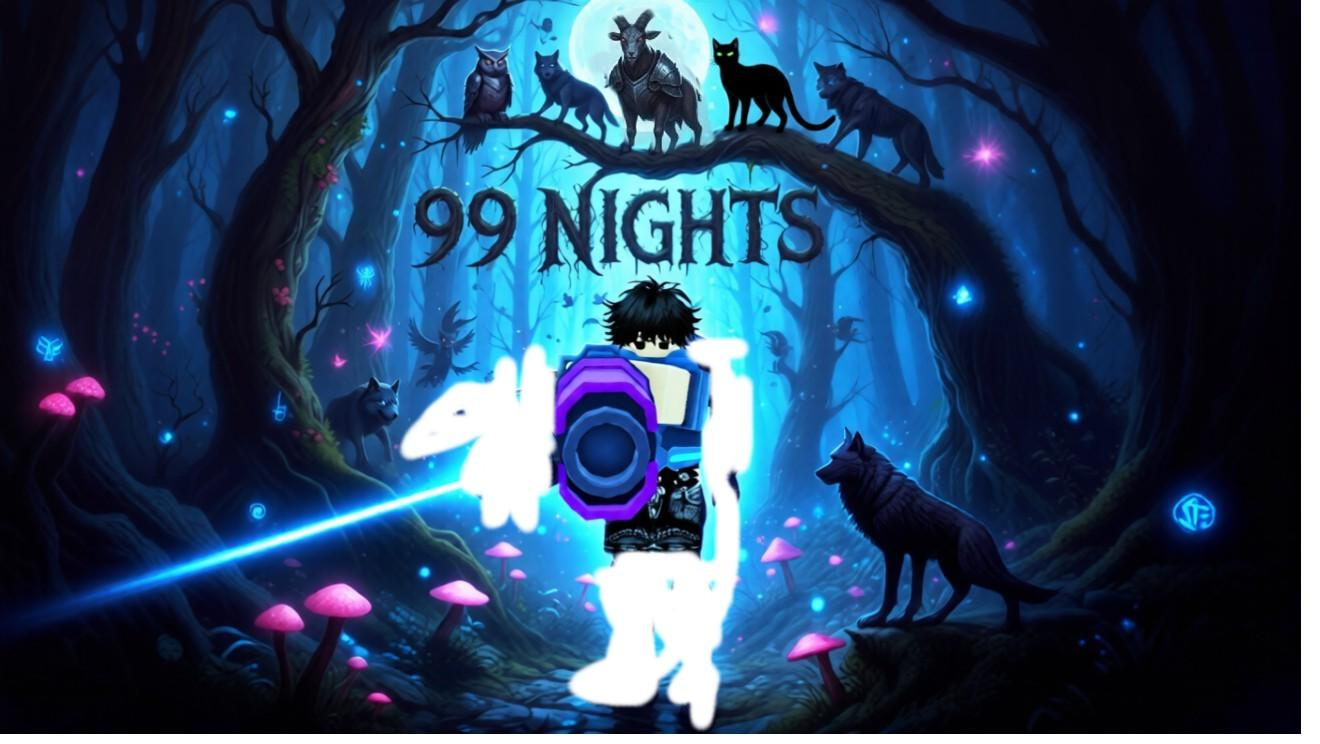
example #06
Flux.2 Klein 4B (bf16, 4-step)Remove the Resident Evil 4 Original Soundtrack text entirely from the image, leaving the background behind it clean and seamlessly matching the surrounding dark, atmospheric forest scene with branches and ambient lighting. Keep all characters, their poses, expressions, clothing, weapons, and the overall composition, lighting, and photorealistic style exactly as in the original, unchanged.
qwen-edit-plus2-fp8, qwen-edit-plus2-fp8-4steps, qwen-edit-plus2-fp8-8stepsRemove the 'Resident Evil 4 Original Soundtrack' text entirely from the image, leaving clean background that matches the surrounding dark, gritty forest and stone wall textures; keep all other elements including characters, weapons, lighting, composition, and facial expressions exactly as in the original.
input:


example #07
Flux.2 Klein 4B (bf16, 4-step)Restore the image to high quality: remove all wrinkles, cracks, tears, and dust; enhance resolution and sharpness while preserving the original style; apply natural, era-appropriate skin tones and colors; keep the woman's face, expression, glasses, hair, clothing, necklace, background, lighting, and composition exactly as in the original, unchanged.
qwen-edit-plus2-fp8, qwen-edit-plus2-fp8-4steps, qwen-edit-plus2-fp8-8stepsRestore the image to high quality: remove wrinkles, cracks, tears, and dust; sharpen and increase resolution while preserving the original style, facial identity, expression, pose, clothing, lighting, and composition. If colorization is needed, apply natural, era-appropriate tones with realistic skin tones for a clean, authentic look.
input: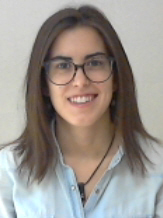


example #08
Flux.2 Klein 4B (bf16, 4-step)Remove the XelTrades logo and text at the top of the image, including the Instagram handle and X handle at the bottom-left. Also remove the small text block with handles at the bottom-right. Replace all removed areas with clean white background matching the surrounding design. Keep the main title 'Protected Swing', subtitle, and all other layout elements exactly as in the original, unchanged.
qwen-edit-plus2-fp8, qwen-edit-plus2-fp8-4steps, qwen-edit-plus2-fp8-8stepsRemove the XelTrades logo, the text 'XelTrades', and the Instagram and X social media handles '@xeltrades' at the bottom left. Replace these removed elements with clean white background matching the surrounding area. Keep all other text, logos, layout, and design elements exactly as in the original.
input:


example #09
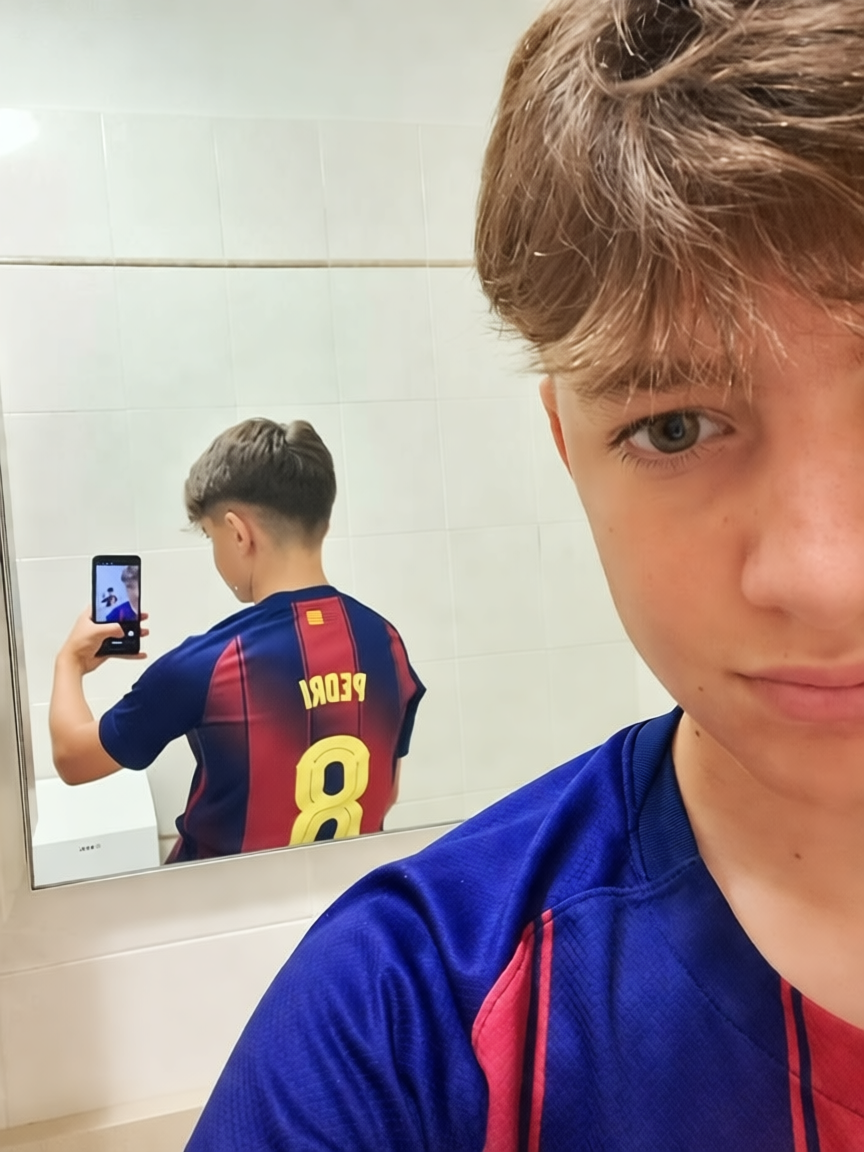
Flux.2 Klein 4B (bf16, 4-step)Remove the green soap dispenser with white pump near the shoulder and the white toilet with silver flush handle visible in the mirror reflection, leaving clean tiled wall matching the surrounding bathroom tiles; keep the boy's face, jersey, pose, mirror frame, lighting, and all other elements exactly as in the original, unchanged.
qwen-edit-plus2-fp8, qwen-edit-plus2-fp8-4steps, qwen-edit-plus2-fp8-8stepsRemove the green soap dispenser with white pump near the shoulder and the white toilet with chrome flush handle visible in the mirror reflection; replace both with clean white tiled wall matching the surrounding tiles. Keep the boy's face, expression, pose, jersey, hair, phone, mirror frame, and all other elements exactly as in the original.
input: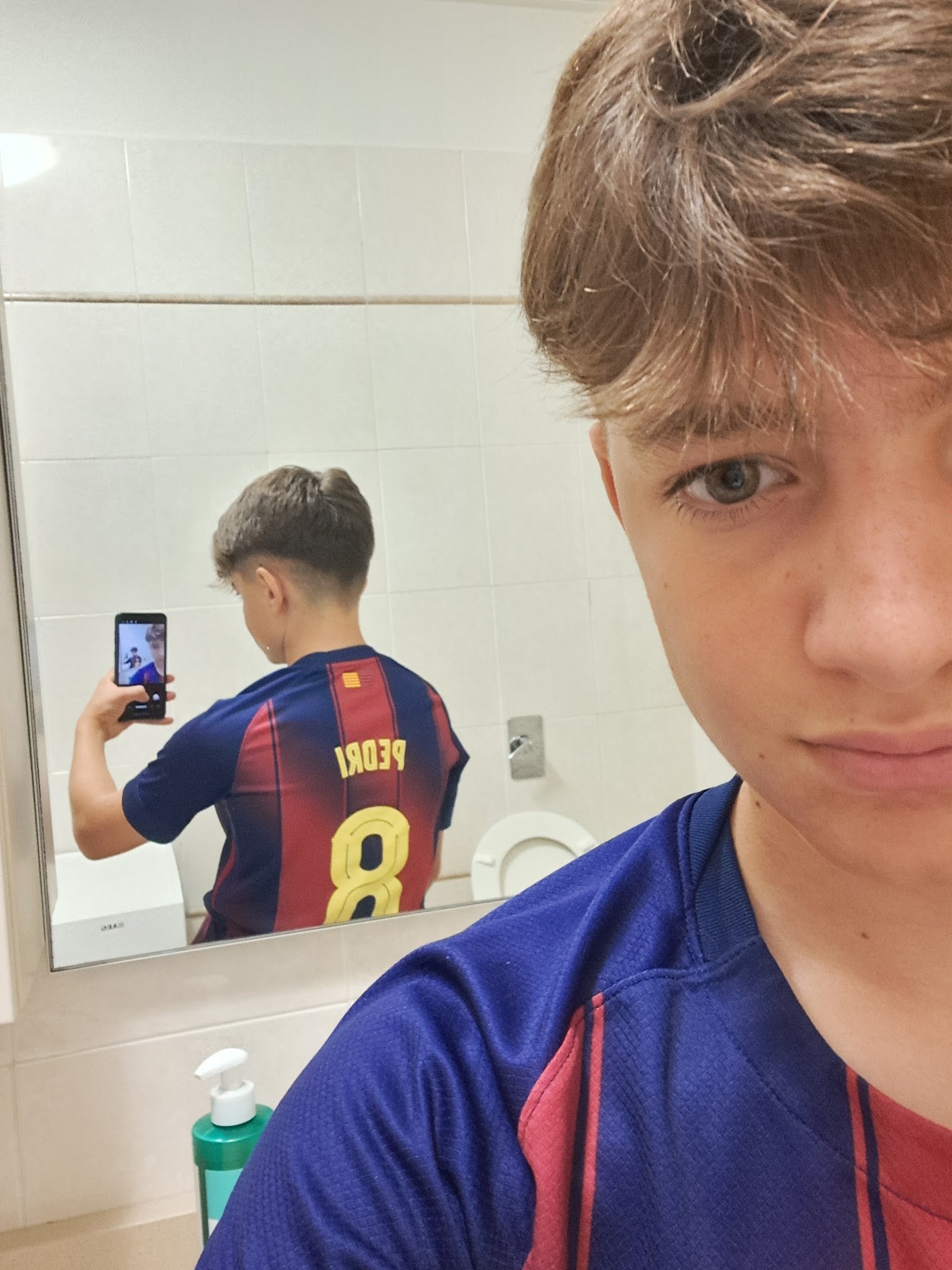
example #10
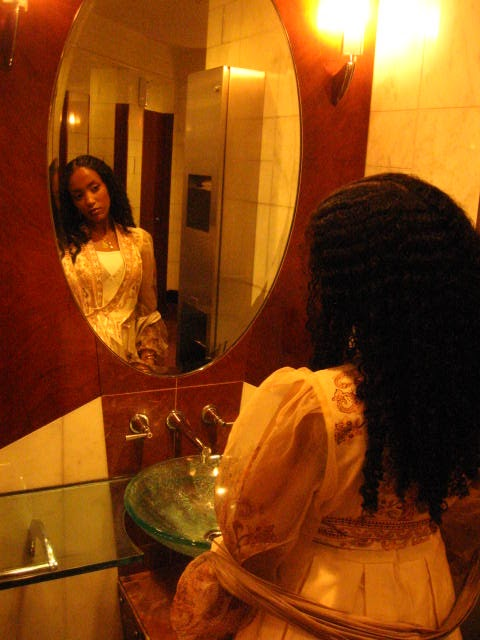
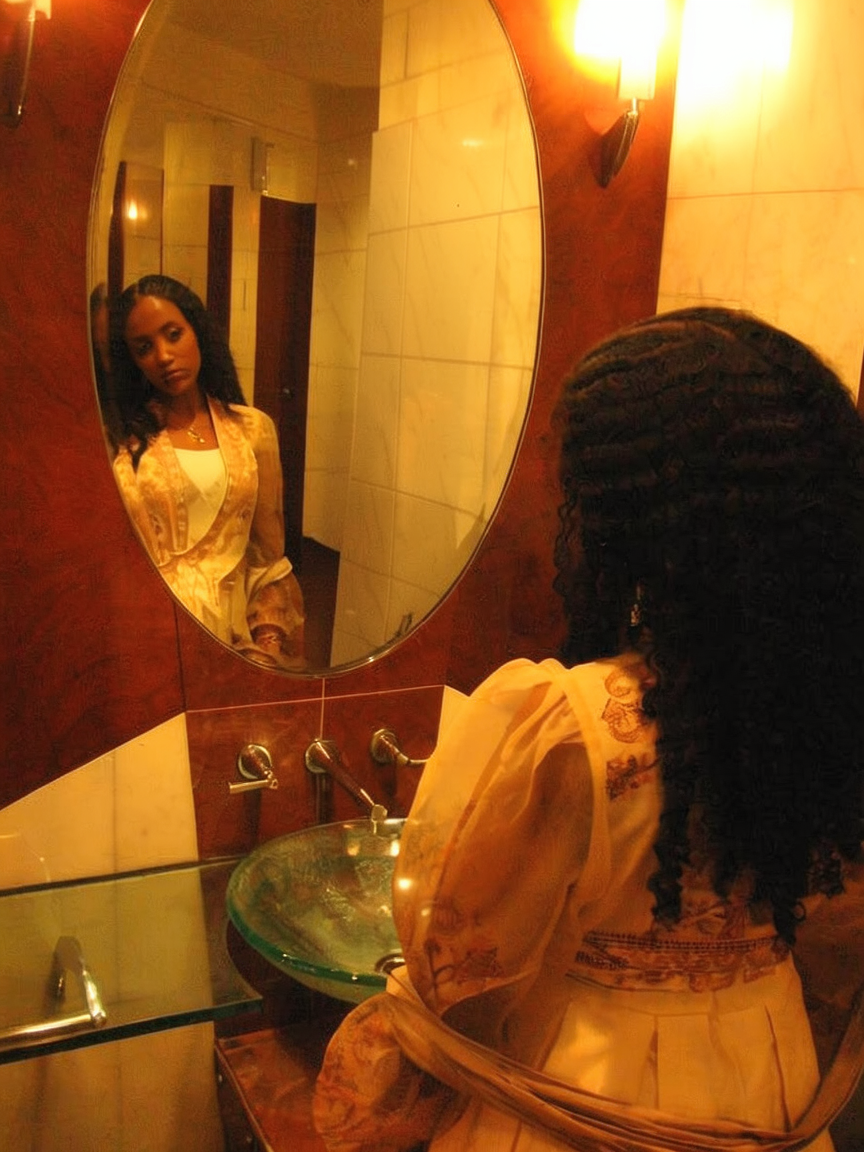
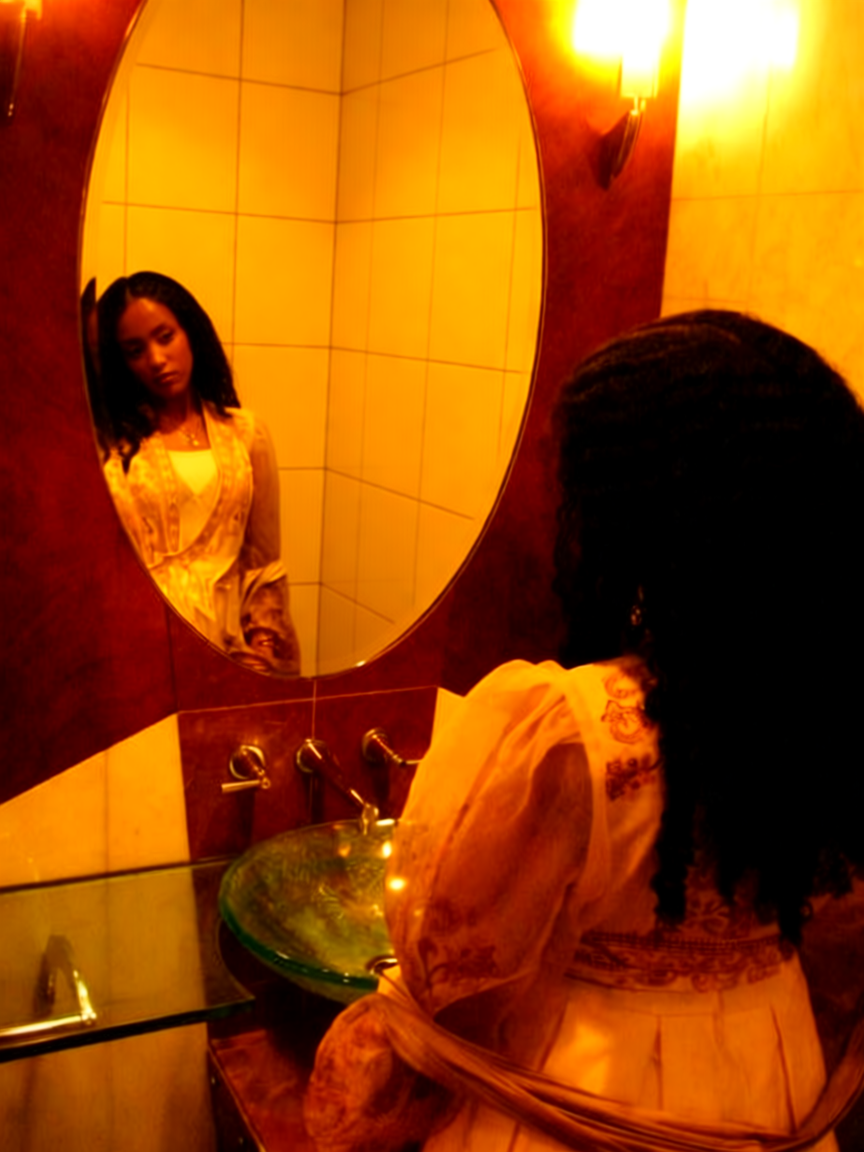
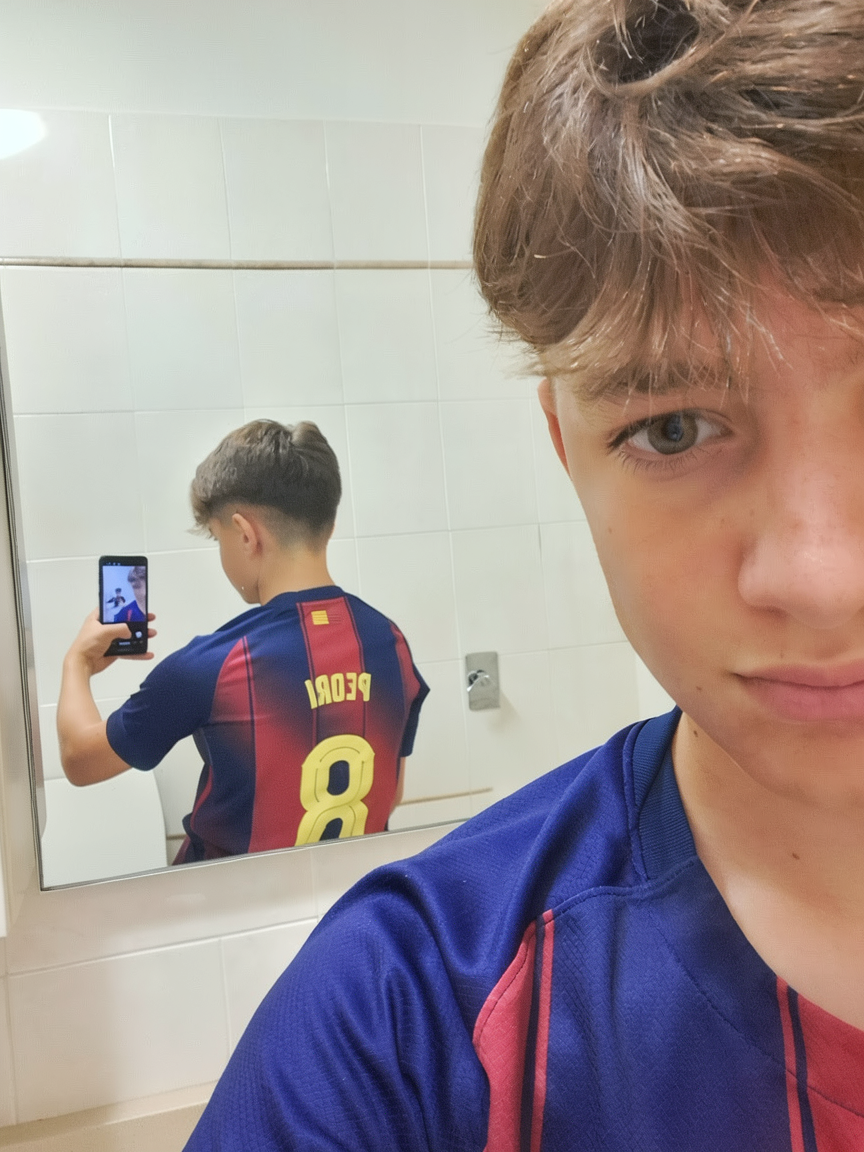
Flux.2 Klein 4B (bf16, 4-step)Remove the rectangular metal box visible in the mirror's reflection behind the person, replacing it with a clean continuation of the tiled wall that matches the surrounding texture and lighting; keep the woman's pose, expression, clothing, hair, the mirror frame, sink, faucet, wall sconces, and all other elements exactly as in the original, unchanged.
qwen-edit-plus2-fp8, qwen-edit-plus2-fp8-4steps, qwen-edit-plus2-fp8-8stepsRemove the rectangular metal box visible in the mirror reflection behind the person, replacing it with a clean tiled wall matching the surrounding bathroom tiles; keep the woman’s pose, clothing, expression, hair, and the mirror’s frame and reflection exactly as in the original, including all lighting and composition.
input: